
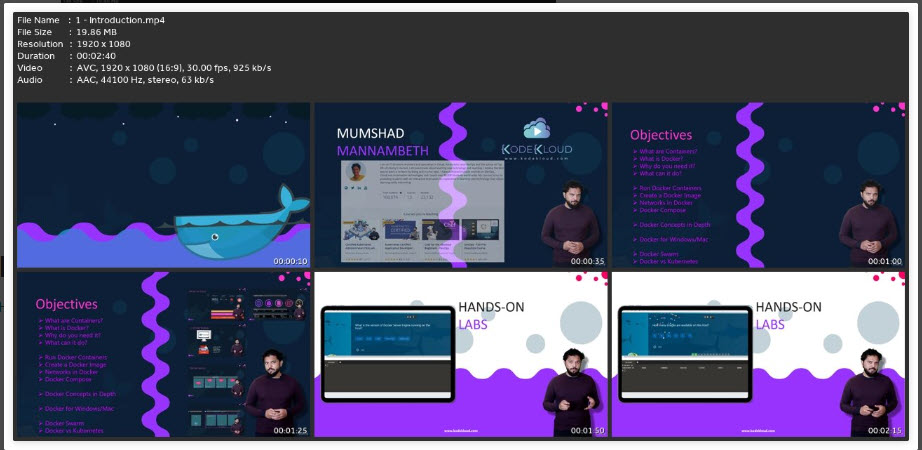
Docker for the Absolute Beginner Hands On DevOps
Last updated 7/2024
MP4 | Video: h264, 1920×1080 | Audio: AAC, 44.1 KHz
Language: English | Size: 1.90 GB | Duration: 4h 19m
Learn Docker with Hands On Coding Exercises. For beginners in DevOps
What you’ll learn
Beginner level introduction to Docker
Basic Docker Commands with Hands-On Exercises
Build Docker images using Dockerfiles with Hands-On Exercises
Understand what Docker Compose is
Build Application stack using Docker Compose Files with Hands-On Exercises
Understand what Docker Swarm is
Requirements
Basic System Administrator Skills
Good to have (Not Mandatory) access to a Linux System to setup Docker to follow along
Description
***Docker Endorsed Content***Docker is an open platform for developers and sysadmins to build, ship, and run distributed applications, whether on laptops, data center VMs, or the cloud.This course introduces Docker to an Absolute Beginner using really simple and easy-to-understand lectures. Lectures are followed by demos showing how to set up and get started with Docker. The coding exercises that accompany this course will help you practice Docker commands, develop your own images using Dockerfiles, and practice Docker Compose. You will be developing Docker files for different use cases right in your browser. This way, you don’t really need to have your own environment set up to get some hands-on practice. The coding exercises will validate your commands and Dockerfiles and ensure you have written them correctly.And finally, we have assignments to put your skills to the test. You will be given the challenge to solve using the skills you gained during this course. This is a great way to gain real-life project experience and work with the other students in the community to develop a Dockerfile and get feedback for your work. The assignment will push you to research and develop your own Docker images.Our tools, courses, and resources will help you improve your Docker skills and help you gain a true understanding of the program.
Overview
Section 1: Introduction
Lecture 1 Introduction
Lecture 2 Docker Overview
Lecture 3 Getting started with Docker
Lecture 4 A note on installing Docker
Lecture 5 Demo – Setup and Install Docker
Lecture 6 A Quick Reminder
Lecture 7 Resources
Lecture 8 Student Preferences
Lecture 9 Join our Community Channel for support and interaction
Section 2: Docker Commands
Lecture 10 Basic Docker Commands
Lecture 11 Demo – Docker Commands
Lecture 12 Download Course Deck
Lecture 13 Demo – Docker Labs
Lecture 14 Demo – Accessing labs
Lecture 15 Course setup – accessing the labs
Lecture 16 Labs – Basic Docker Commands
Section 3: Docker Run
Lecture 17 Docker Run
Lecture 18 Article on Jenkins Image
Lecture 19 Demo – Advanced Docker Run Features
Lecture 20 Labs – Docker Run
Section 4: Docker Images
Lecture 21 Docker Images
Lecture 22 Demo – Creating a new Docker Image
Lecture 23 Labs – Docker Images
Lecture 24 Environment Variables
Lecture 25 Labs – Environment Variables
Lecture 26 Command vs Entrypoint
Lecture 27 Labs – Command vs Entrypoint
Section 5: Docker Compose
Lecture 28 Docker Compose
Lecture 29 Pre-Requisite – YAML
Lecture 30 Demo – Example Voting Application
Lecture 31 Demo – Example Voting Application with Docker Compose
Lecture 32 Demo – Docker Compose
Lecture 33 Labs: Docker Compose
Lecture 34 References
Lecture 35 Stay Updated!
Section 6: Docker Registry
Lecture 36 Docker Registry
Lecture 37 Lab: Docker Registry
Section 7: Docker Engine, Storage and Networking
Lecture 38 Docker Engine
Lecture 39 Docker PID – Demo
Lecture 40 Docker Storage
Lecture 41 Docker Storage – Demo
Lecture 42 Labs – Docker Storage
Lecture 43 Docker Networking
Lecture 44 Labs – Docker Networking
Section 8: Docker on Mac & Windows
Lecture 45 Docker on Windows
Lecture 46 Demo – Docker on Windows
Lecture 47 References
Lecture 48 Docker on MAC
Section 9: Container Orchestration – Docker Swarm & Kubernetes
Lecture 49 Container Orchestration
Lecture 50 Docker Swarm
Lecture 51 Kubernetes Introduction
Section 10: Conclusion
Lecture 52 Conclusion
Lecture 53 Course Completion Certificate
Lecture 54 Bonus Lecture – Docker Certification Course
System Administrators,Cloud Infrastructure Engineers,Developers
DEOKETDRFEASDBSEOUELRTGECBDGEYREHANDES

you must be registered member to see linkes Register Now